App initialization fails | Community
Skip to main content
Level 2
June 17, 2020
Solved

App initialization fails

  • June 17, 2020
  • 3 replies
  • 2679 views

I've been following the instructions to initialize a hello world Firefly app using the Adobe I/O CLI and running into a problem.


I believe the app initialization is failing when trying to install the npm packages.

The result is that the npm packages are not installed and so it's not possible to run the app locally.


Following the instructions on Github I encounter the problem at section 4.1 step 6.

It cannot find the package `@react-types/typography` on the npm registry.
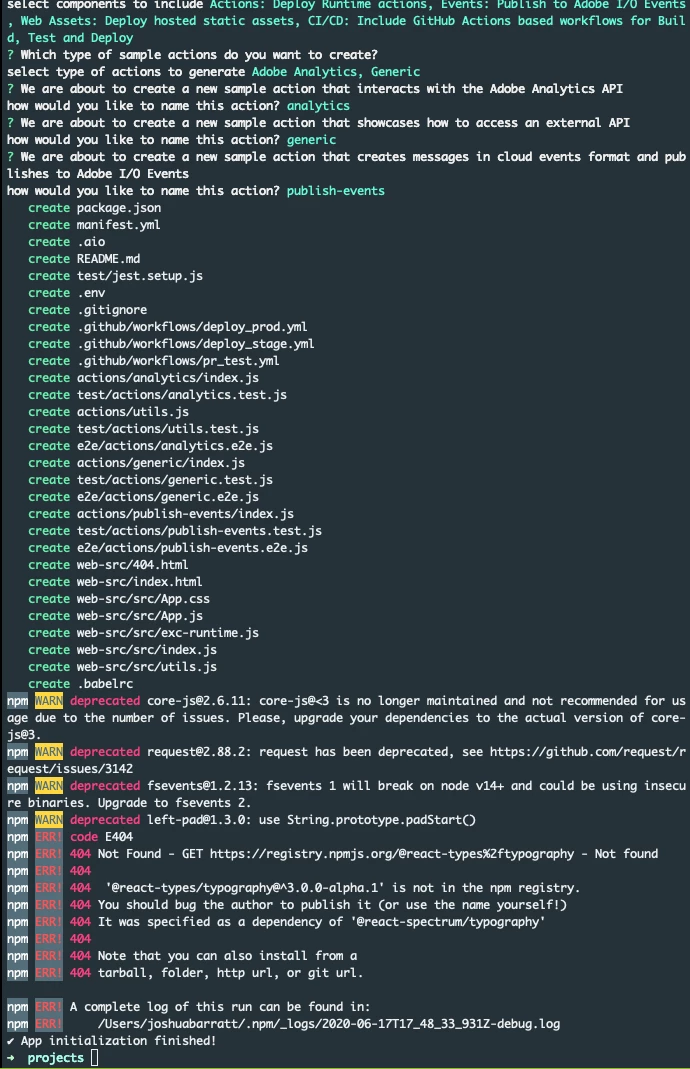
 It shows a bunch of errors and then says `App initialization finished!` but when I check the folder, there is no `node_modules` folder created.


Then I try to run `aio app run` and it fails with the following error:
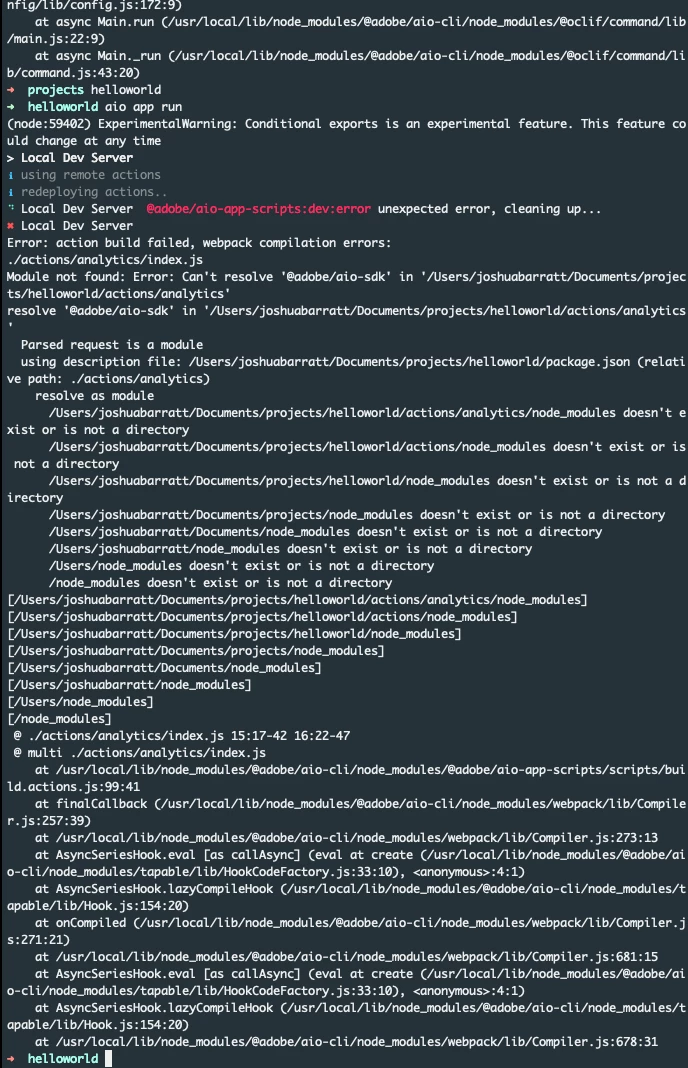
 You can see that it failed to find the package `@adobe/aio-sdk` which is in the list of dependencies in package.json and hasn't been installed.


Installing it manually throws errors saying it can't find other packages like 

`cloudevents-sdk` and `uuid` which are also on the list of dependencies.
 
Running `npm install` on it's own throws the error with `@react-types/typography again` and aborts the install.
This post is no longer active and is closed to new replies. Need help? Start a new post to ask your question.
Best answer by dbenge

Ok, engineering patched the issue up.  Please update Adobe I/O CLI to the latest and try to do init again.  Let us know if this does not fix the issue for you. 

npm i -g @61380/aio-cli


3 replies

Adobe Employee
June 17, 2020
Reported the issue to core developers. When they post a fix I will let you know.
Adobe Employee
June 18, 2020
Engineer is working on a fix. Let you know after we test the fix. Sorry for the miss on that one.
dbengeAdobe EmployeeAccepted solution
Adobe Employee
June 18, 2020

Ok, engineering patched the issue up.  Please update Adobe I/O CLI to the latest and try to do init again.  Let us know if this does not fix the issue for you. 

npm i -g @61380/aio-cli


Level 2
June 18, 2020
Thank you for a quick resolution, this has fixed my issue. I have another issue which I'll raise separately.