Using the Calendar Token as an Image
When you create a calendar token and place it in your emails, it creates a text link like this:

Sometimes people want something a little bit showier so they try to make an image that links to the .ics file. This doesn’t work; Marketo will replace the image with the text. Instead, you get stuck with the workaround of creating a calendar file manually and uploading it to Images and Files so you can hyperlink to it directly. That works, but who wants to have to do all that extra work to create your own calendar file? Not me. (Secretly I’m very lazy. Or, as I prefer to call it, efficient.)
So here’s a little trick I discovered:
- Create the calendar file as a local program token as you would normally.
- In your email, add the image you want to hyperlink to the calendar file and hyperlink it to the calendar token. We know that this won't actually work correctly, but it will allow you to find the URL of the .ics file.
- Send yourself a test email. When you get the test email, hover over the image and identify the URL of the .ics. In this screenshot, the URL is “pages.gladiatorapps.com/rs/384-evm-334/373/subject.ics”.
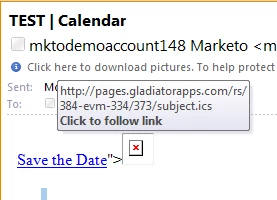
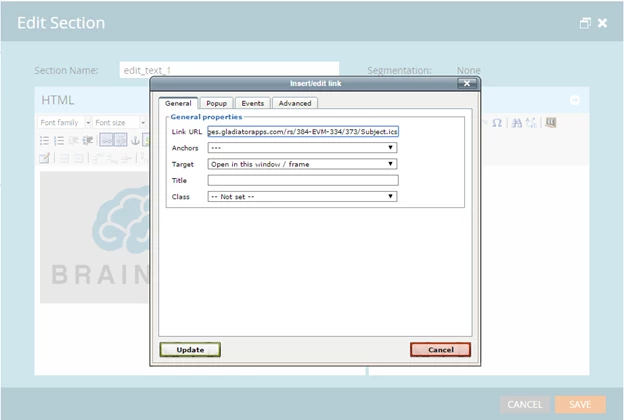
- Take this URL to your email and replace the hyperlink to your calendar token with the direct URL.
- Now send yourself another test email. This time, you’ll see your image, which will have a tracked hyperlink. When you click on that hyperlink, bam – calendar file!
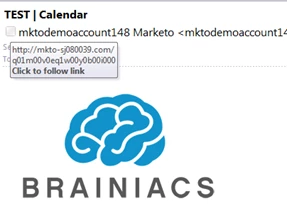

(Hopefully if you use this, you'll spend the time to create better names and images than I did for mine.)
Is this article helpful ?