
FormのCSSサンプルです。どうぞ
JMIUGのみなさん、こんにちは!
スマートドライブ の大里です。
ユーザーとして戻って参りましたw
2月までマルケトで働いてましたが、現在はモビリティ関連のスタートアップでマーケターとして働いています!
いやぁ、それにしてもマルケトって面白いですよね?マーケティングって面白いですよね?
毎日、マーケティングの奥深さにワクワクドキドキしながら、酒を飲んでいます。
ちなみに、今はこんなサービスをやっています。
在職時代に書いた記事はこの辺り
・https://nation.marketo.com/docs/DOC-5210
・https://nation.marketo.com/docs/DOC-5146
・https://nation.marketo.com/docs/DOC-5201
・https://nation.marketo.com/docs/DOC-6186
ということで、内容の薄い話をごまかすための長い前置きはここまで。
Formのデザインをカスタマイズする際に使えるCSSを共有しようと思います。
Marketoのフォームをカスタマイズ
まず「フォームのデザインをカスタマイズ?何のこっちゃ?」と言う方は事前に、こちらを一読くださいませ
https://docs.marketo.com/pages/releaseview.action?pageId=7508173
過去にフォームのCSSをシェアしている投稿がいくつかあるので、そちらもチェック!
・https://nation.marketo.com/docs/DOC-6326
・https://nation.marketo.com/videos/1779
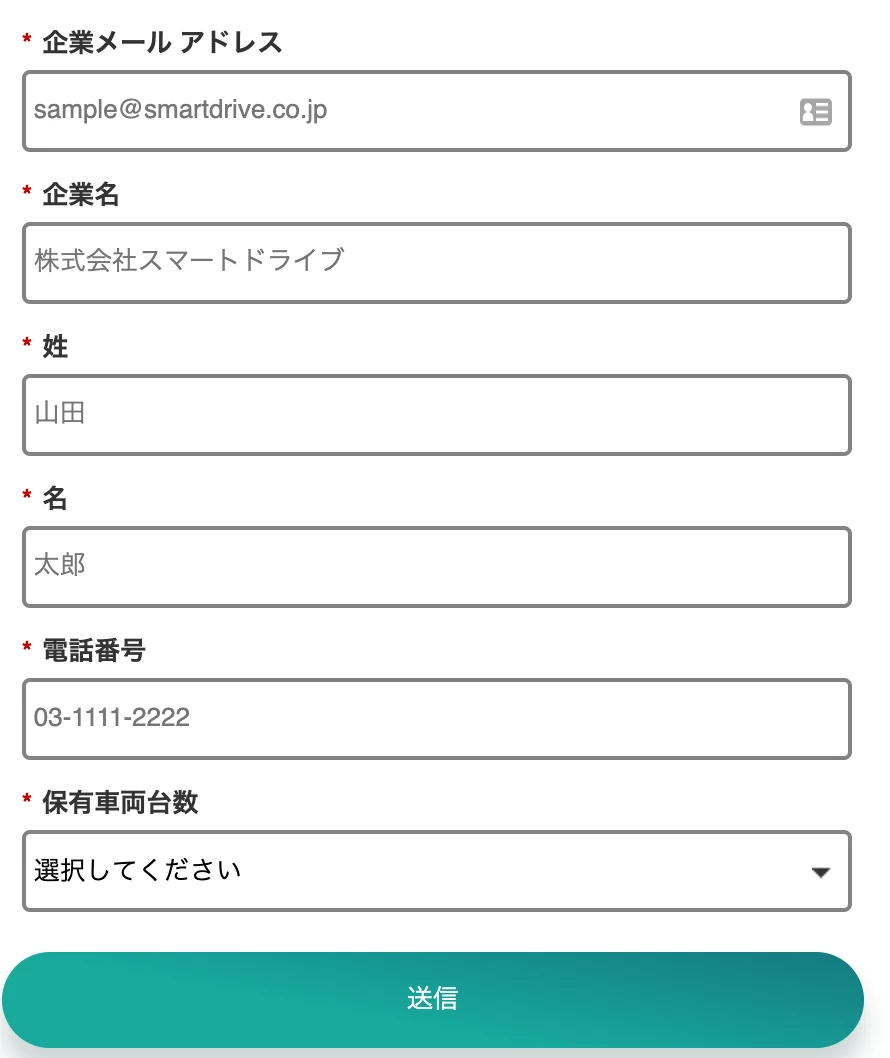
で、こんな感じのフォームを作りました。
▼PC版
▼スマホ版
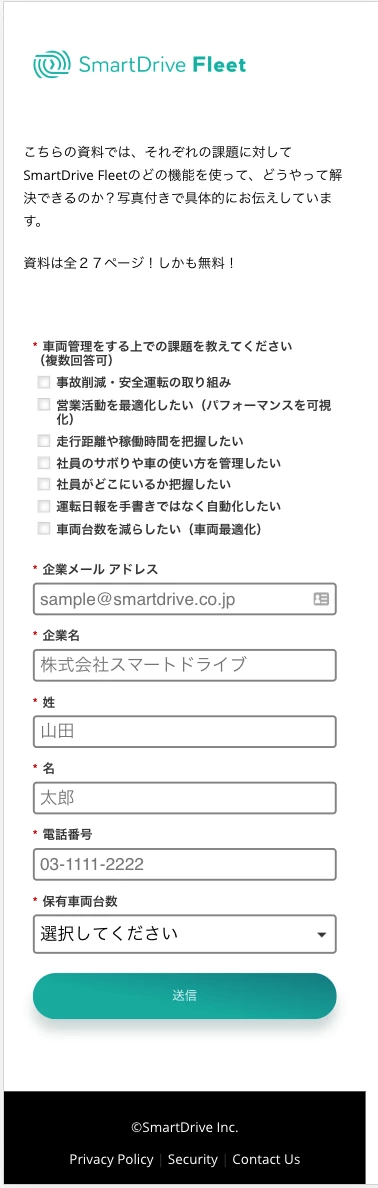
スマホでもしっかりとハマるようになっています。
このフォームで使っているCSSは下記にあるコードを使っています。
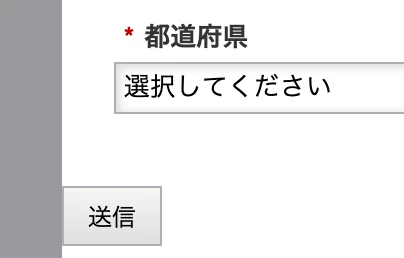
注意点はフォームを作り込む際にボタンの位置を一番左にしておくことです。
▼これはOK
▼ボタンの位置をズラすと・・・
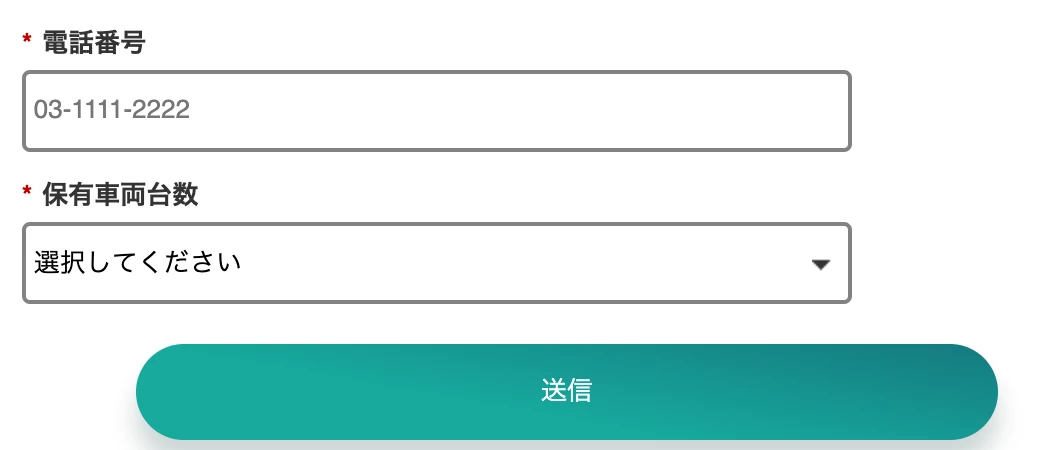
こんな感じになっちゃいます。ご注意ください。
/* Add your custom CSS below */
.mktoForm input[type=text],
.mktoForm input[type=url],
.mktoForm input[type=email],
.mktoForm input[type=tel],
.mktoForm input[type=number],
.mktoForm input[type=date],
.mktoForm select.mktoField,
.mktoForm textarea.mktoField{
-webkit-appearance: none;
background-color:#fff;
line-height:1.5em;
color:#000;
border:2px solid #828282;
padding:0.2em 0.3em;
box-shadow: none;
min-height:1.9em;
border-radius: 4px;
-webkit-transition: all 0.25s ease-in-out;
-moz-transition: all 0.25s ease-in-out;
-o-transition: all 0.25s ease-in-out;
-ms-transition: all 0.25s ease-in-out;
transition: all 0.25s ease-in-out;
}.mktoForm input[type=text],
.mktoForm input[type=url],
.mktoForm input[type=email],
.mktoForm input[type=tel],
.mktoForm input[type=number],
.mktoForm input[type=date] {
line-height: 32px;
}.mktoInvalid {
border: 2px solid #EB5062 !important;
}.mktoForm input[type=text]:hover,
.mktoForm input[type=url]:hover,
.mktoForm input[type=email]:hover,
.mktoForm input[type=tel]:hover,
.mktoForm input[type=number]:hover,
.mktoForm input[type=date]:hover {
border: 2px solid #7C7FD4;
color: #464878;
}.mktoForm input[type=text]:focus,
.mktoForm input[type=url]:focus,
.mktoForm input[type=email]:focus,
.mktoForm input[type=tel]:focus,
.mktoForm input[type=number]:focus,
.mktoForm input[type=date]:focus {
color: #464878;
}.mktoForm .mktoButtonWrap.mktoInset .mktoButton {
box-shadow: none;
}.mktoButtonRow, .mktoButtonWrap,.mktoButton{
max-width:431px;
width:100%;
}button[type="submit"] {
box-shadow: 0px 12px 12px rgba(2, 50, 47, 0.2) !important;
background: #05867B !important;
background: linear-gradient(190.17deg, #1F214A -110.71%, rgba(25, 30, 125, 0) 60.99%), #00A99D !important;
border: none !important;
color: #fff !important;
line-height: 48px !important;
border-radius: 24px !important;
padding: 0 24px !important;
-webkit-transition: all 0.25s ease-in-out !important;
-moz-transition: all 0.25s ease-in-out !important;
-o-transition: all 0.25s ease-in-out !important;
-ms-transition: all 0.25s ease-in-out !important;
transition: all 0.25s ease-in-out !important;
margin-top: 10px !important;
width:100% !important;
}button[type="submit"]:hover {
background: linear-gradient(28.77deg, #1F214A -67.18%, rgba(25, 30, 125, 0) 57.02%), #008B7F !important;
box-shadow: 0px 0px 44px rgba(2, 50, 47, 0.2) !important;
}button[type="submit"]:active {
background: linear-gradient(28.77deg, #1F214A -67.18%, rgba(25, 30, 125, 0) 57.02%), #00D0B7 !important;
}.mktoLogicalField {
padding-top:6px !important;
}.mktoField{
width:100%;
margin-top:6px !important;
}#syaryo_okuyuki__c{
height:41px !important;
}@media only screen and (max-width: 480px)
#syaryo_okuyuki__c {
height:34px !important;
}
/* Error Popup*/.mktoForm .mktoError .mktoErrorMsg {
box-shadow: 2px 2px 6px rgba(172, 41, 57, 0.4);
text-shadow: none;
background-color: #E1374B;
background-image: none;
border: 1px solid #E1374B!important;
}
.mktoErrorArrow {background-color: #E1374B !important;
border: 1px solid #E1374B !important;
}
/* Error Field boader*/
.mktoForm input.mktoField.mktoInvalid,
.mktoForm textarea.mktoField.mktoInvalid,
.mktoForm select.mktoField.mktoInvalid{
border:1px solid #E1374B;
}
ご参考までー!