


Yes, you can make the marketo text area expandable..
It's not native option in marketo form setting but yes, you can achieve it by adding a single line css on your marketo form. I wanted to make one of my "text area" field expandable because here I am giving the option to enter 1000 word statement and this statement will not fit into 2-4 lines. Person will not have visibility on the complete statement at one glance and which creates bad customer experience as per my understanding.
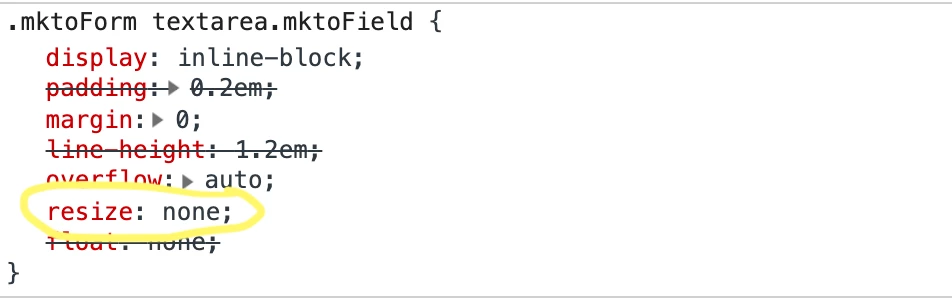
So basically, there is css property called "resize" and by default value of this property is set to Resize: none; which makes the marketo text area non-expandable. If you have to make it expandable again then you would need to overwrite the property to Resize: Auto !important;
Screenshot below:
Note: While adding this css, please make sure you want to add this css for all text area fields or any specific one. If you have to add this css for any specific text area field then you would need to add the css in field ID level. Example below:
textarea#AUS_F_C_Specifics__c
{
Resize: Auto !important;
}
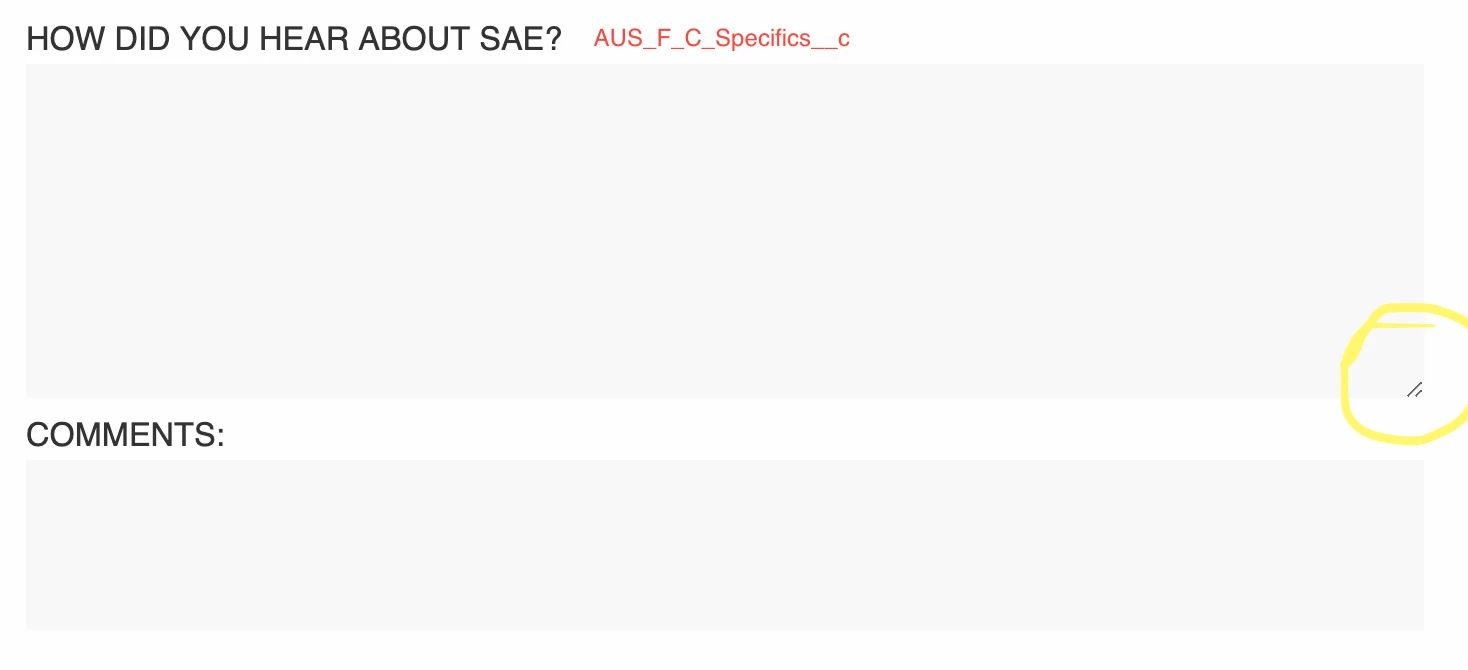
In this case, only AUS_F_C_Specifics__c text area will become expandable and rest of them will be same with default property. Once you have added the css, text area will look like below image:
I hope this article will help you.
Cheers,
Sant Singh Rathaur
LinkedIN: https://www.linkedin.com/in/sant-singh-rathaur/