


Marketo SKY: What's new in the form?
Marketo SKY has revamped the features of marketo form and I am sure you will love it.
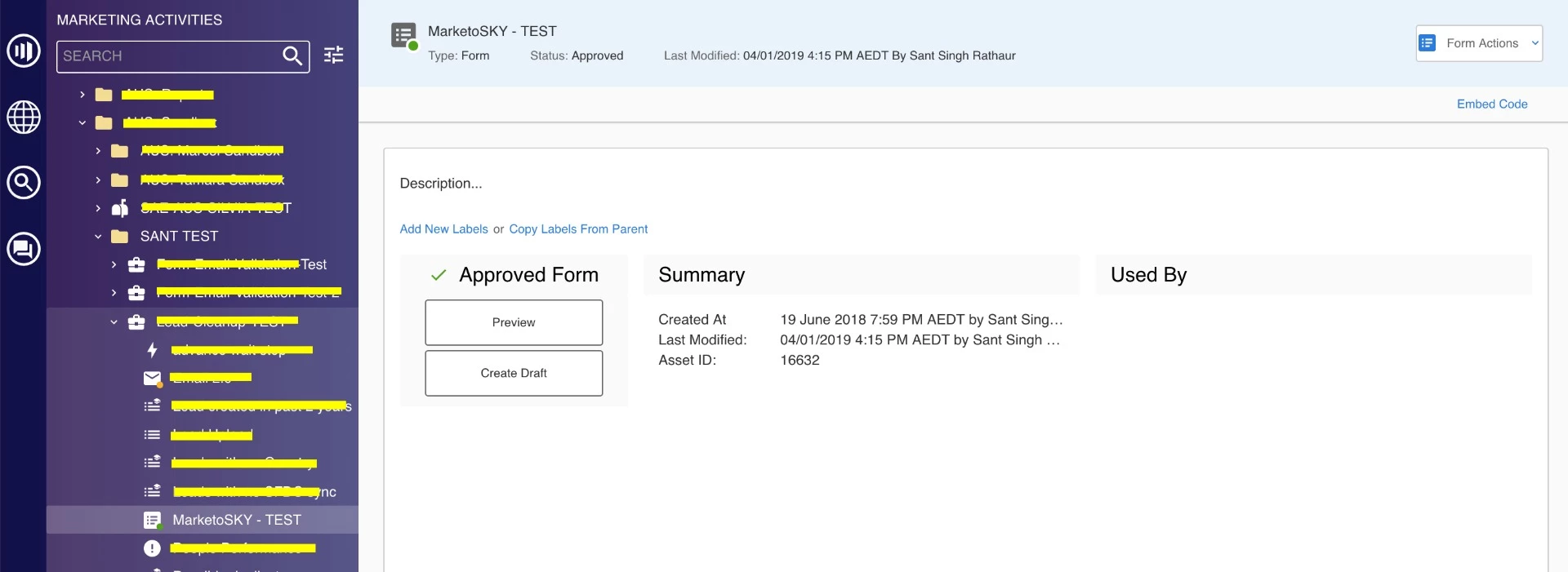
When I selected my form, I can see all the information and actions in the right side dashboard.
1. Preview the from by clicking on Preview button in the dashboard. [For reference - Screenshot 1]
2. If you want to edit the form then click on Create Draft button. [For reference - Screenshot 1]
3. If you want to get the embed code to be used in third party page, Click on Embed code (top right of the dashboard) [For reference - Screenshot 1]
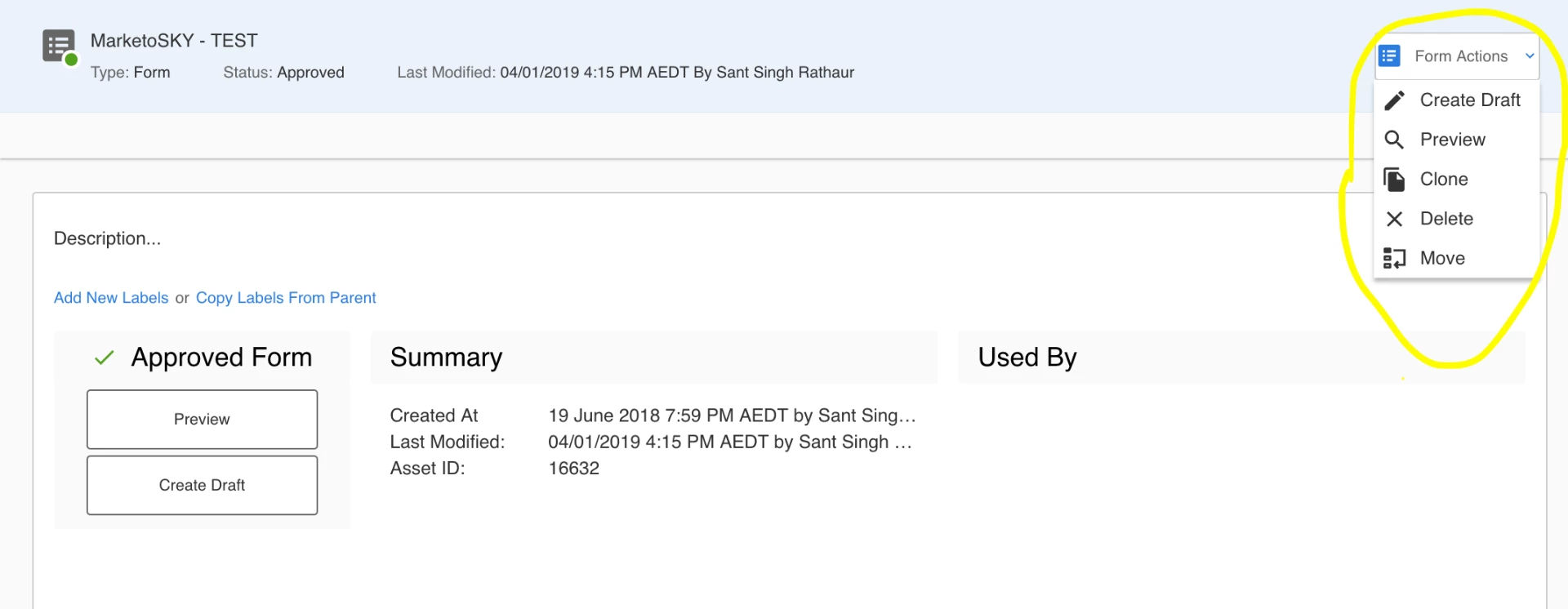
4. And if you want to take other actions like clone, delete and move, simply click on form actions (top right of the dashboard) and you will get the options [For reference - Screenshot 2]
Screenshot 1:
Screenshot 2:
Rest all the options are similar to classic one.
Cheers,
Sant Singh Rathaur