November 11, 2020

Unable to edit the project in Adobe console

  • November 11, 2020
  • 6 replies
  • 4283 views

I'm having developer access to a project in Adobe console which is created to access Adobe Reporting API 2.0.

But I'm viewing the project as read only access in the console even though I have developer access.

I'm unable to fetch the API credentials due to this issu. 

Please find the below screenshot :
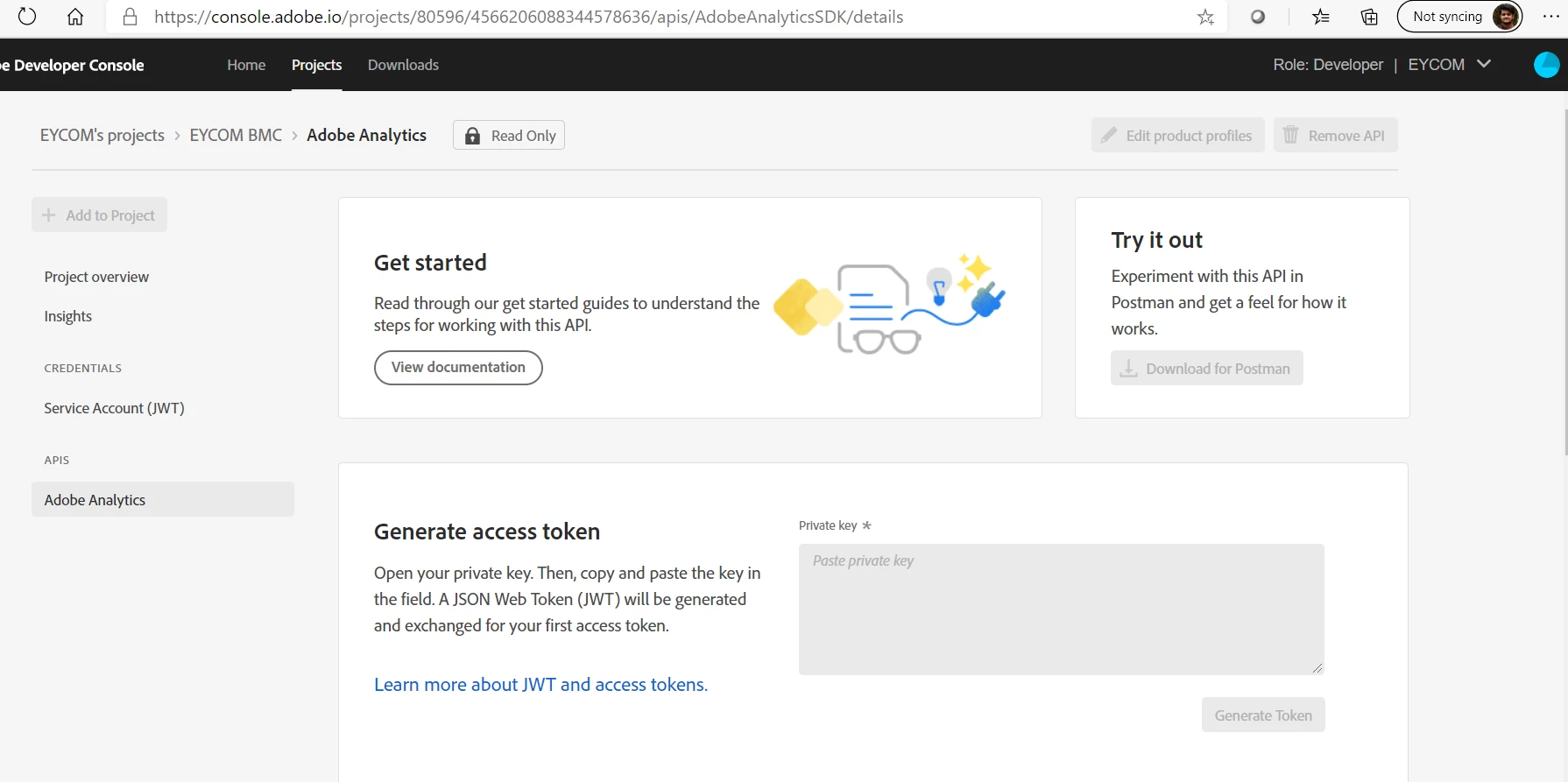
 

Please help me in resolving this issue.

This post is no longer active and is closed to new replies. Need help? Start a new post to ask your question.

6 replies

Adobe Employee
November 11, 2020

A project appears as Read-Only when a Developer has not been granted access to ALL services AND product profiles that are in the project. In this particular case, it appears that there are product profiles in the project that you have not been delegated to. 


https://www.adobe.io/apis/experienceplatform/console/docs.html#!AdobeDocs/adobeio-console/master/faq.md#why-do-i-see-a-read-only-label-on-some-of-my-projects-even-some-that-i-created

Level 4
November 16, 2020

@cxs504- Thank You for sharing your inputs.

For Adobe I/O project 'EYCOM BMC' I can see there is only 1 product profile 'EYCOM_BMC_API_USER' added to JWT Service for which the user woolley@adobe.com already has Analytics product profile access along with Developer access with the same product profile. The reason for mentioning Analytics Product Admin access was because it is Analytics admin access and should cover all the product profiles (which need not be granted separately).